> ## Documentation Index
> Fetch the complete documentation index at: https://docs.allium.so/llms.txt
> Use this file to discover all available pages before exploring further.
# Query on a previous result
> Build complex analyses by querying the results of completed query runs.
export const CopyIcon = props => ;
You can reference the results of any completed query run in a new query. This enables you to build multi-stage analyses, perform additional aggregations, or join datasets without re-executing expensive queries.
## How It Works
Execute any query in the Allium App. Once complete, the results are stored and can be referenced by other queries.
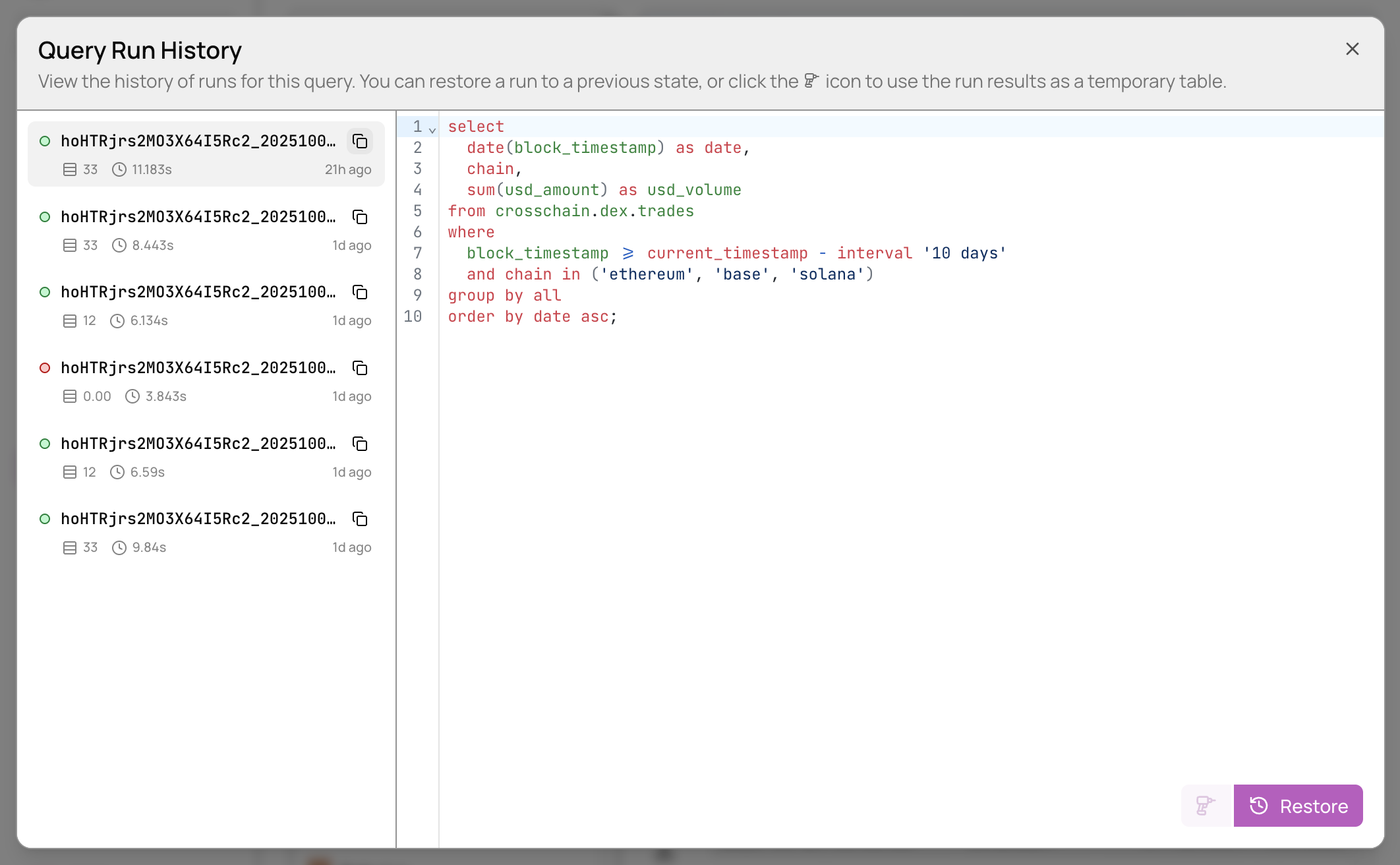
On the query editor page, click **View Run History** to see all completed runs:
Find the query run you want to reference and click the copy button to copy its Run ID.
Use the Run ID in a new query with the format `query_history.`:
```sql theme={null}
select sum(usd_volume)
from query_history.hoHTRjrs2MO3X64I5Rc2_20251001T080527_horde;
```
You can perform any SQL operations on the query history results, including joins, aggregations, and filtering.
## Time Limits
**Query History Time Constraints**
* **Mixed queries**: When combining `query_history` results with Allium data tables, query results must be less than 24 hours old
* **Query history only**: When querying exclusively from `query_history` tables, there is no time limit
## Use Cases
Querying previous results is useful for:
* Breaking down complex analyses into manageable steps
* Joining pre-computed datasets without re-running expensive queries
* Performing multiple aggregations on the same base dataset
* Creating derived tables for further analysis
* Iterating on analysis without recomputing source data
## Example: Multi-Stage Analysis
```sql theme={null}
-- Step 1: Run a query to get daily DEX volumes (save as query_id_1)
select
date(block_timestamp) as date,
chain,
sum(usd_amount) as daily_volume
from crosschain.dex.trades
where block_timestamp >= current_timestamp - interval '30 days'
group by all;
-- Step 2: Calculate 7-day moving average from the first query
select
date,
chain,
daily_volume,
avg(daily_volume) over (
partition by chain
order by date
rows between 6 preceding and current row
) as ma_7d
from query_history.query_id_1_20251015T120000_horde
order by chain, date;
```
## Next Steps
Learn the fundamentals of running queries
Create reusable queries with configurable parameters
Access query results programmatically
Optimize performance for complex queries