> ## Documentation Index
> Fetch the complete documentation index at: https://docs.allium.so/llms.txt
> Use this file to discover all available pages before exploring further.
# Visualize results
> Chart and present your data through our visualization tools.
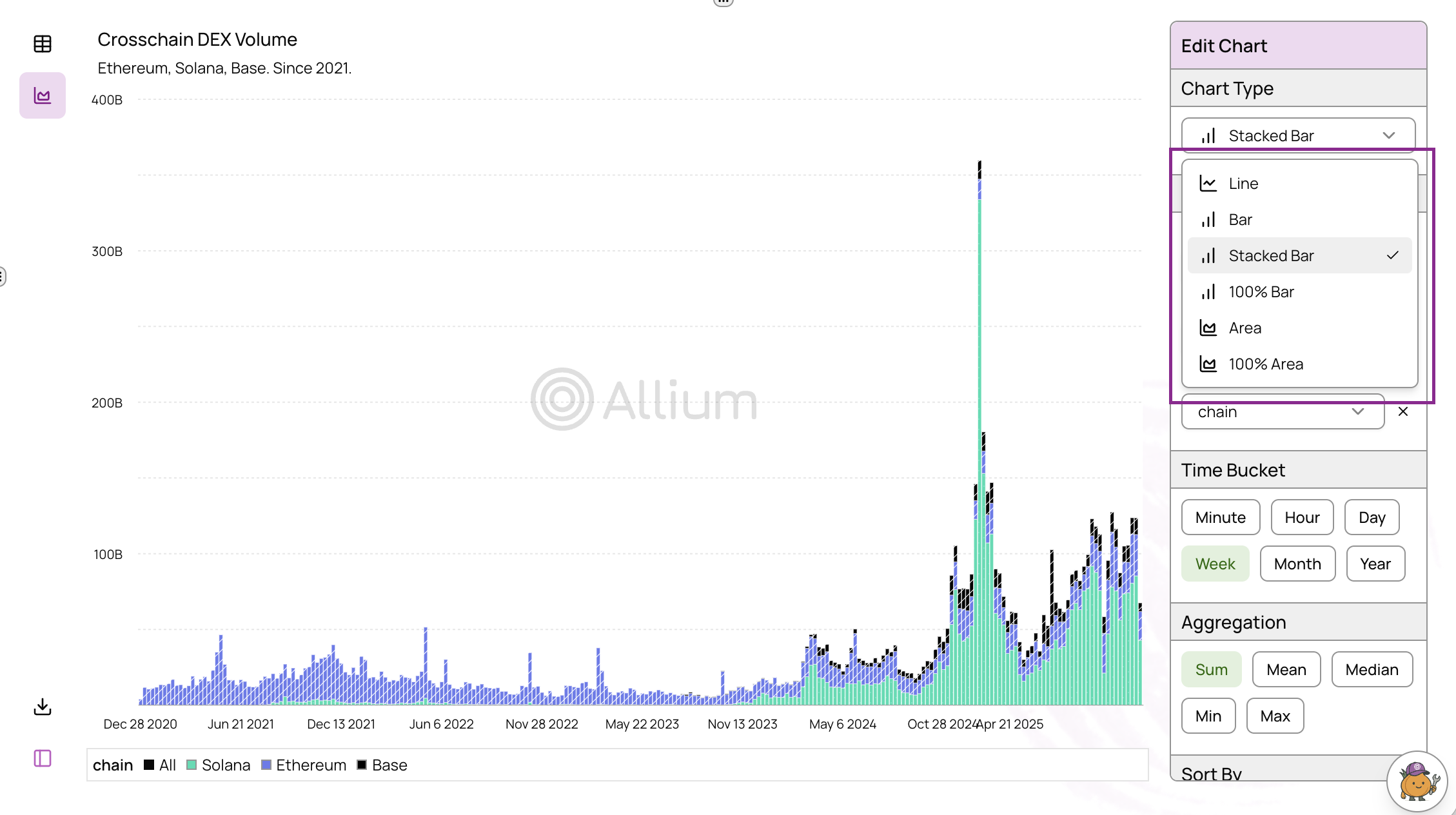
After running a query, toggle the **Chart** tab below the query editor to open the visualization tool and create interactive charts from your results.
## Creating Charts
The visualization feature allows you to create and share data visualizations with a simple click. Select your desired chart type from the dropdown menu to transform your query results into visual insights.
 ## Public Links
Share your charts, results, and underlying SQL code with others using public links.
### Create a Public Link
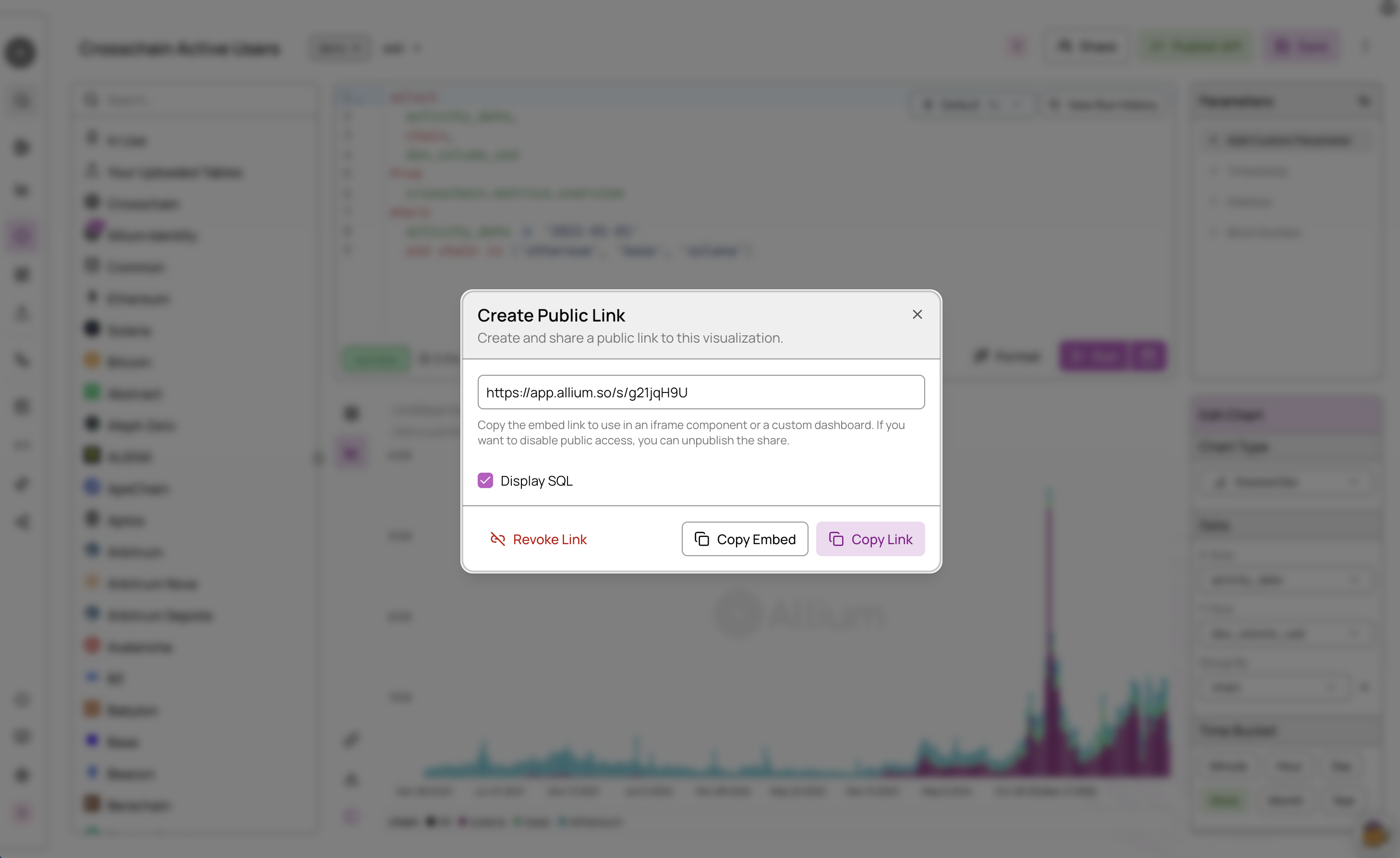
Click the **Create Public Link** button on the left side of the chart to generate a shareable link.
Select the appropriate sharing format:
* **Embed Link** - Best for embedding charts in iframes or inline dashboard elements. Provides just the visualization component.
* **Normal Link** - Best for sharing the complete view including SQL query and results on a single page. Allows others to see both the visualization and the underlying data.
## Public Links
Share your charts, results, and underlying SQL code with others using public links.
### Create a Public Link
Click the **Create Public Link** button on the left side of the chart to generate a shareable link.
Select the appropriate sharing format:
* **Embed Link** - Best for embedding charts in iframes or inline dashboard elements. Provides just the visualization component.
* **Normal Link** - Best for sharing the complete view including SQL query and results on a single page. Allows others to see both the visualization and the underlying data.
 ### Revoke a Public Link
To unpublish a shared query and chart, click the **Unpublish Link** button. This will immediately revoke access to the public link.
### Revoke a Public Link
To unpublish a shared query and chart, click the **Unpublish Link** button. This will immediately revoke access to the public link.