> ## Documentation Index
> Fetch the complete documentation index at: https://docs.allium.so/llms.txt
> Use this file to discover all available pages before exploring further.
# Examples
> Pipeline configuration examples for common Beam use cases.
Copy-paste these configs into the [Beam pipeline builder](https://app.allium.so/build/beam) or use them with the [API](/beam/api-reference/overview).
Filter values are managed separately from the pipeline config. After creating a pipeline, add values to set filter transforms using the [UI or API](/beam/api-reference/filter-values/add-filter-values). The examples below show the pipeline config only.
### Filter logs by contract address
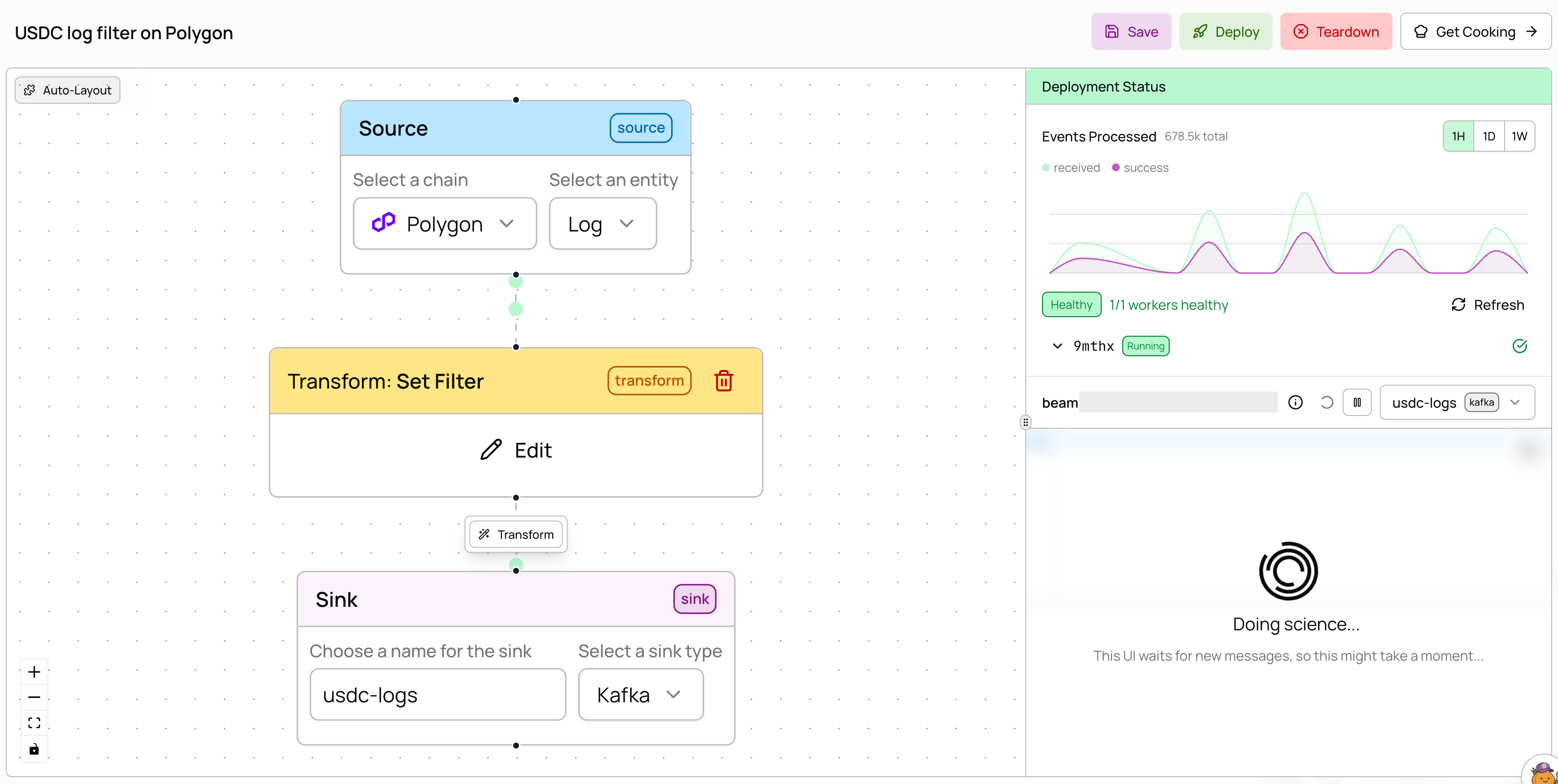
Monitor USDC transfer logs on Polygon by filtering to the USDC contract address.
 ```json theme={null}
{
"name": "USDC Transfer Monitor",
"description": "Monitor USDC transfers on Polygon",
"source": {
"chain": "polygon",
"entity": "log"
},
"transforms": [
{
"type": "redis_set_filter",
"filter_expr": "root = this.address"
}
],
"sinks": [
{
"type": "kafka",
"name": "usdc-logs"
}
]
}
```
Uses `filter_expr: "root = this.address"` to match the `address` field (the contract that emitted the log). After creating this pipeline, add the USDC contract address (`0x3c499c542cef5e3811e1192ce70d8cc03d5c3359`) to the filter via the UI or [filter values API](/beam/api-reference/filter-values/add-filter-values).
### Filter + JavaScript transform
Filter for DEX swap events by topic signature, then enrich with a JavaScript transform.
```json theme={null}
{
"name": "USDC Transfer Monitor",
"description": "Monitor USDC transfers on Polygon",
"source": {
"chain": "polygon",
"entity": "log"
},
"transforms": [
{
"type": "redis_set_filter",
"filter_expr": "root = this.address"
}
],
"sinks": [
{
"type": "kafka",
"name": "usdc-logs"
}
]
}
```
Uses `filter_expr: "root = this.address"` to match the `address` field (the contract that emitted the log). After creating this pipeline, add the USDC contract address (`0x3c499c542cef5e3811e1192ce70d8cc03d5c3359`) to the filter via the UI or [filter values API](/beam/api-reference/filter-values/add-filter-values).
### Filter + JavaScript transform
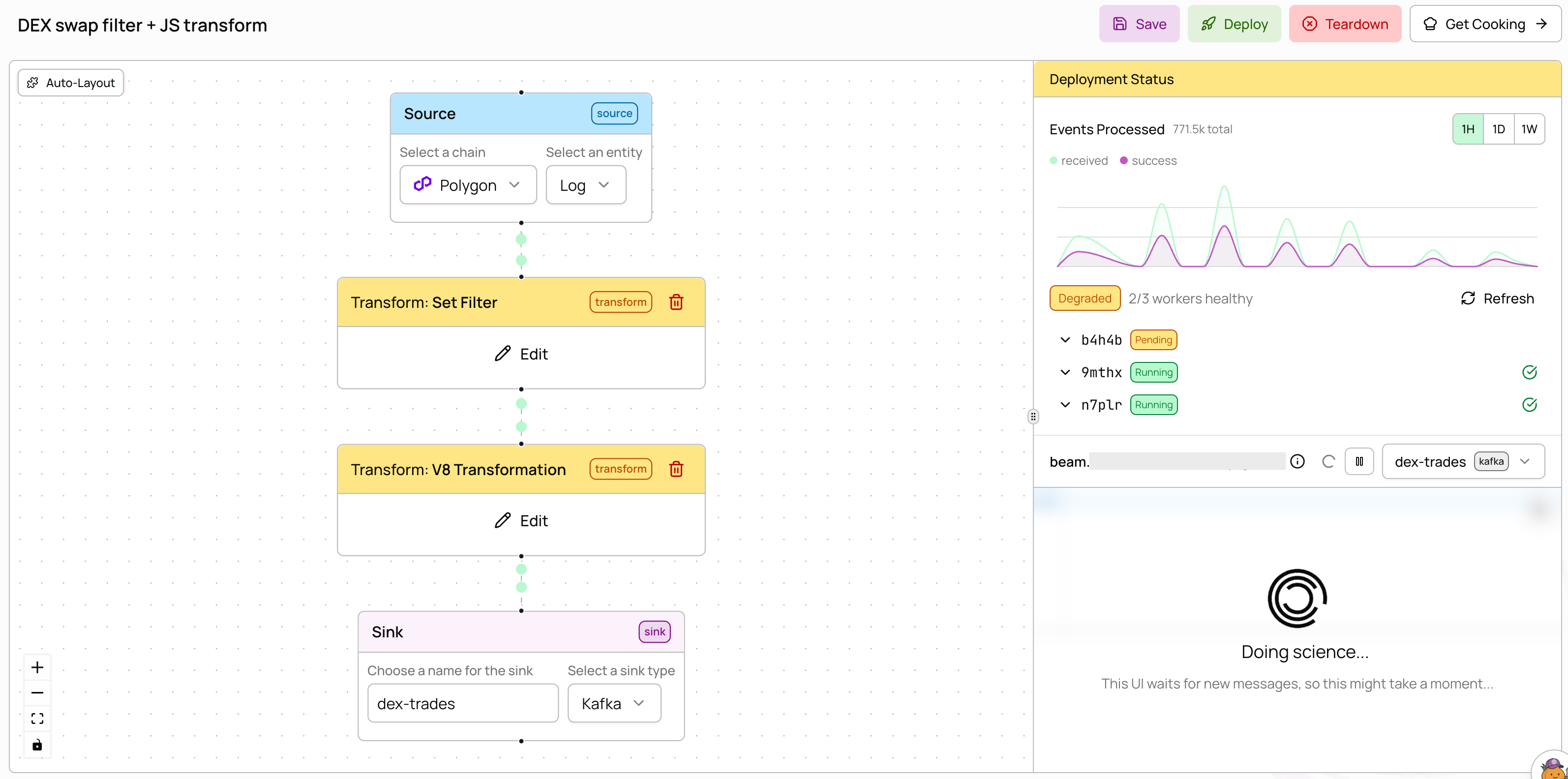
Filter for DEX swap events by topic signature, then enrich with a JavaScript transform.
 ```json theme={null}
{
"name": "DEX Trade Parser",
"description": "Parse DEX swap events and extract trade details",
"source": {
"chain": "polygon",
"entity": "log"
},
"transforms": [
{
"type": "redis_set_filter",
"filter_expr": "root = this.topic0"
},
{
"type": "v8",
"script": "function transform(record) { record.parsed = true; return record; }"
}
],
"sinks": [
{
"type": "kafka",
"name": "dex-trades"
}
]
}
```
The set filter narrows to swap events using `topic0` (the event signature hash). Add the Uniswap V2 swap signature (`0xd78ad95fa46c994b6551d0da85fc275fe613ce37657fb8d5e3d130840159d822`) to the filter after creation. The v8 transform then enriches each matching record. Transforms are chained -- data flows through the filter first, then the JavaScript.
### ERC-20 token transfers on Base
Track USDC token transfers on Base using the `erc20_token_transfer` entity instead of raw logs.
```json theme={null}
{
"name": "DEX Trade Parser",
"description": "Parse DEX swap events and extract trade details",
"source": {
"chain": "polygon",
"entity": "log"
},
"transforms": [
{
"type": "redis_set_filter",
"filter_expr": "root = this.topic0"
},
{
"type": "v8",
"script": "function transform(record) { record.parsed = true; return record; }"
}
],
"sinks": [
{
"type": "kafka",
"name": "dex-trades"
}
]
}
```
The set filter narrows to swap events using `topic0` (the event signature hash). Add the Uniswap V2 swap signature (`0xd78ad95fa46c994b6551d0da85fc275fe613ce37657fb8d5e3d130840159d822`) to the filter after creation. The v8 transform then enriches each matching record. Transforms are chained -- data flows through the filter first, then the JavaScript.
### ERC-20 token transfers on Base
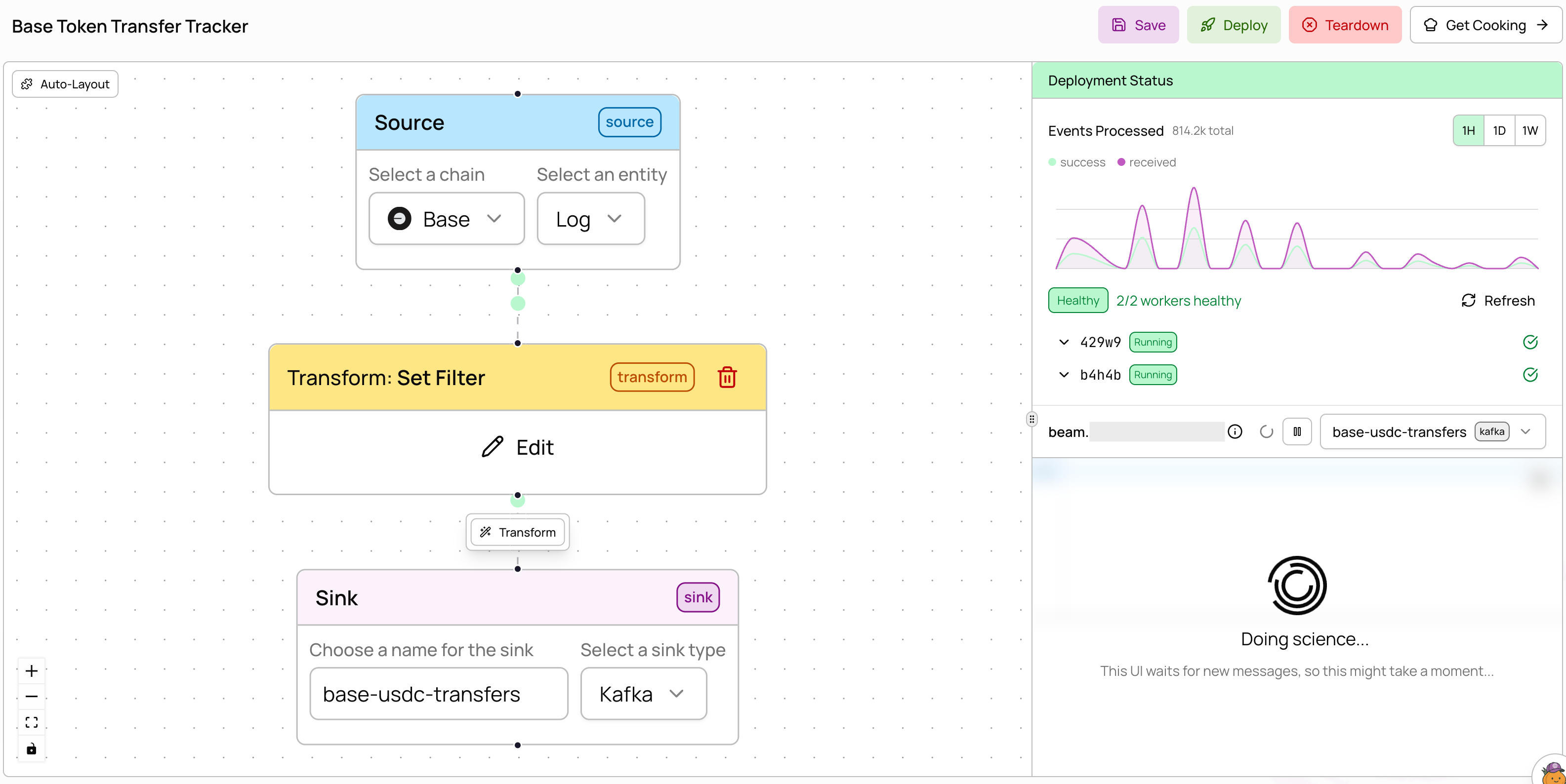
Track USDC token transfers on Base using the `erc20_token_transfer` entity instead of raw logs.
 ```json theme={null}
{
"name": "Base Token Transfer Tracker",
"description": "Monitor ERC-20 token transfers on Base",
"source": {
"chain": "base",
"entity": "erc20_token_transfer"
},
"transforms": [
{
"type": "redis_set_filter",
"filter_expr": "root = this.address"
}
],
"sinks": [
{
"type": "kafka",
"name": "base-usdc-transfers"
}
]
}
```
Add the USDC contract address (`0x833589fcd6edb6e08f4c7c32d4f71b54bda02913`) to the filter after creation. The `erc20_token_transfer` entity provides pre-parsed transfer data (from, to, amount) so you don't need to decode raw logs yourself.
### Multiple contract addresses
Monitor USDC and USDT on Polygon in a single pipeline by adding multiple addresses to the filter.
```json theme={null}
{
"name": "Base Token Transfer Tracker",
"description": "Monitor ERC-20 token transfers on Base",
"source": {
"chain": "base",
"entity": "erc20_token_transfer"
},
"transforms": [
{
"type": "redis_set_filter",
"filter_expr": "root = this.address"
}
],
"sinks": [
{
"type": "kafka",
"name": "base-usdc-transfers"
}
]
}
```
Add the USDC contract address (`0x833589fcd6edb6e08f4c7c32d4f71b54bda02913`) to the filter after creation. The `erc20_token_transfer` entity provides pre-parsed transfer data (from, to, amount) so you don't need to decode raw logs yourself.
### Multiple contract addresses
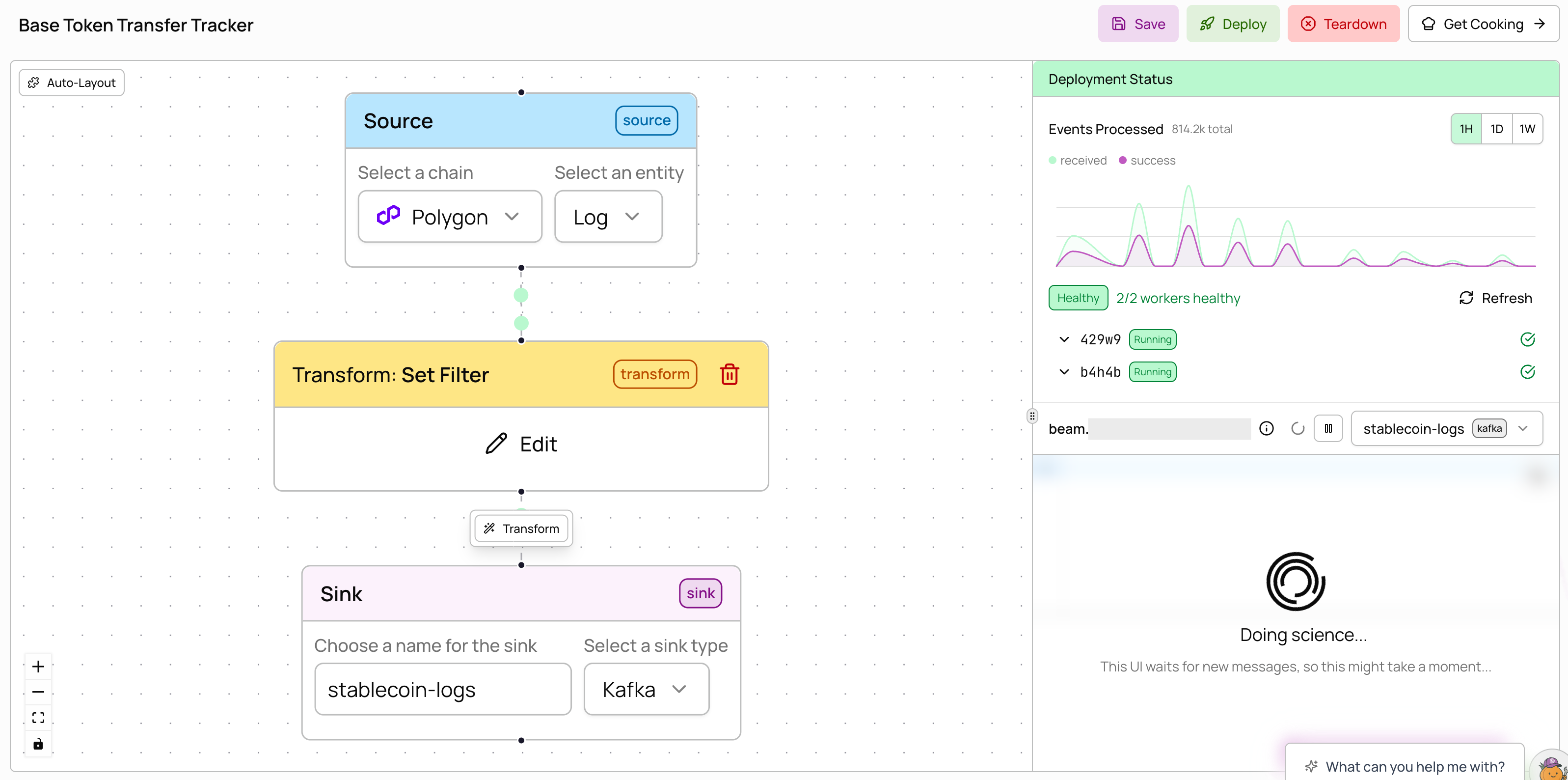
Monitor USDC and USDT on Polygon in a single pipeline by adding multiple addresses to the filter.
 ```json theme={null}
{
"name": "Multi-Token Monitor",
"description": "Monitor USDC and USDT on Polygon",
"source": {
"chain": "polygon",
"entity": "log"
},
"transforms": [
{
"type": "redis_set_filter",
"filter_expr": "root = this.address"
}
],
"sinks": [
{
"type": "kafka",
"name": "stablecoin-logs"
}
]
}
```
After creation, add both addresses to the filter (`0x3c499c542cef5e3811e1192ce70d8cc03d5c3359` for USDC and `0xc2132d05d31c914a87c6611c10748aeb04b58e8f` for USDT). All values are matched with OR logic -- a record passes if its field matches any value in the set. Filters support **10M+ values**, so you can include massive wallet sets for lookups.
### External Kafka sink
Deliver processed data to your own Kafka cluster using [organization secrets](/app/organization-management/secrets) for authentication.
```json theme={null}
{
"name": "External Kafka DEX Monitor",
"description": "Stream DEX events to an external Kafka cluster",
"source": {
"chain": "ethereum",
"entity": "log"
},
"transforms": [
{
"type": "redis_set_filter",
"filter_expr": "root = this.topic0"
}
],
"sinks": [
{
"type": "external_kafka",
"name": "dex-events",
"bootstrap_servers": "broker1.example.com:9092,broker2.example.com:9092",
"username_secret_id": "my-kafka-username",
"password_secret_id": "my-kafka-password"
}
]
}
```
Before using an `external_kafka` sink, create the username and password secrets in [**Settings → Secrets**](/app/organization-management/secrets). See the [configuration reference](/beam/configuration#external-kafka-sinks) for all available fields.
```json theme={null}
{
"name": "Multi-Token Monitor",
"description": "Monitor USDC and USDT on Polygon",
"source": {
"chain": "polygon",
"entity": "log"
},
"transforms": [
{
"type": "redis_set_filter",
"filter_expr": "root = this.address"
}
],
"sinks": [
{
"type": "kafka",
"name": "stablecoin-logs"
}
]
}
```
After creation, add both addresses to the filter (`0x3c499c542cef5e3811e1192ce70d8cc03d5c3359` for USDC and `0xc2132d05d31c914a87c6611c10748aeb04b58e8f` for USDT). All values are matched with OR logic -- a record passes if its field matches any value in the set. Filters support **10M+ values**, so you can include massive wallet sets for lookups.
### External Kafka sink
Deliver processed data to your own Kafka cluster using [organization secrets](/app/organization-management/secrets) for authentication.
```json theme={null}
{
"name": "External Kafka DEX Monitor",
"description": "Stream DEX events to an external Kafka cluster",
"source": {
"chain": "ethereum",
"entity": "log"
},
"transforms": [
{
"type": "redis_set_filter",
"filter_expr": "root = this.topic0"
}
],
"sinks": [
{
"type": "external_kafka",
"name": "dex-events",
"bootstrap_servers": "broker1.example.com:9092,broker2.example.com:9092",
"username_secret_id": "my-kafka-username",
"password_secret_id": "my-kafka-password"
}
]
}
```
Before using an `external_kafka` sink, create the username and password secrets in [**Settings → Secrets**](/app/organization-management/secrets). See the [configuration reference](/beam/configuration#external-kafka-sinks) for all available fields.