> ## Documentation Index
> Fetch the complete documentation index at: https://docs.allium.so/llms.txt
> Use this file to discover all available pages before exploring further.
# Quickstart
> Create, deploy, and consume your first Beam pipeline in minutes.
**Beta access required.** Beam is currently in beta. Contact [support@allium.so](mailto:support@allium.so) to get access before starting.
## Create your first pipeline
Navigate to [app.allium.so/build/beam](https://app.allium.so/build/beam) and click **New** to create a blank pipeline, or **Start with Template** for a pre-built example.
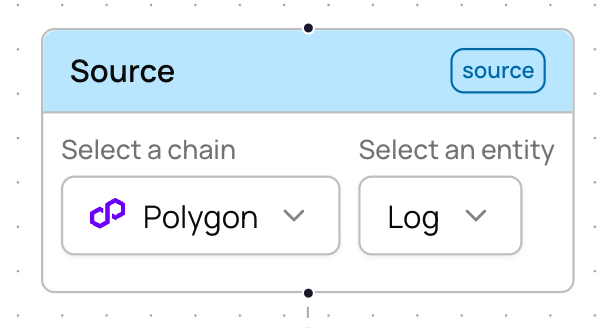
Select a blockchain and entity type to stream. For example, **Polygon** + **log** to stream all Polygon logs.
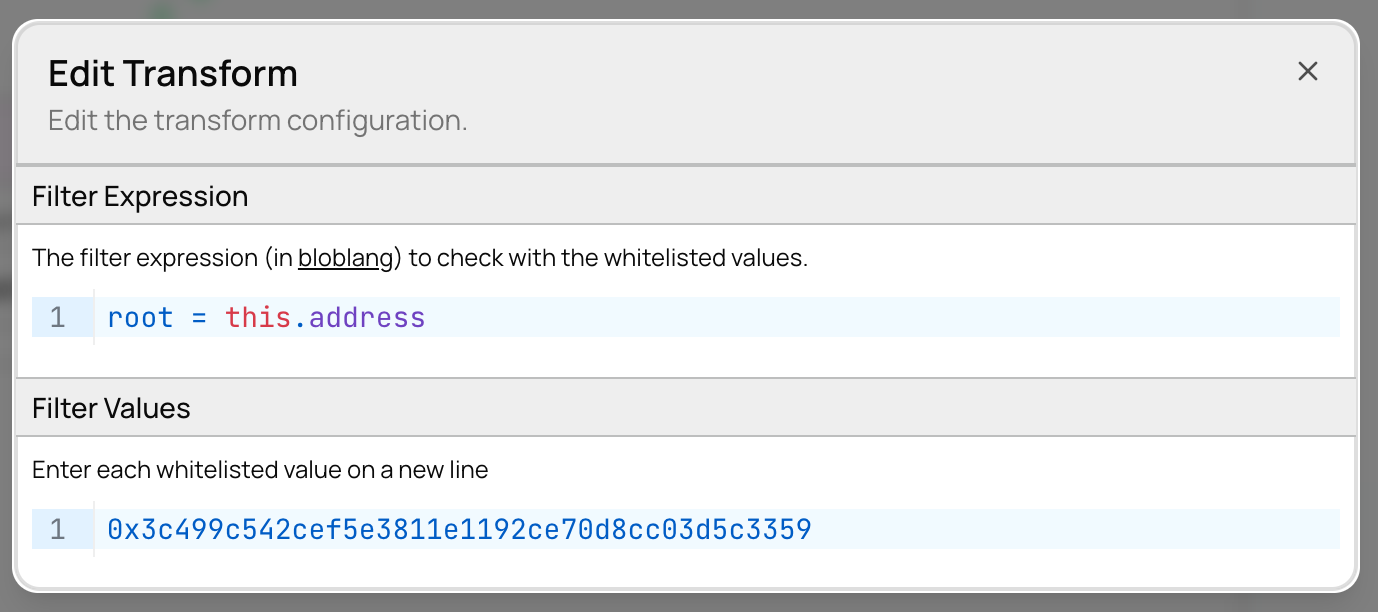
 Add a **Set Filter** to narrow down to specific events. Select the field to match against using a filter expression.
For example, to filter to USDC on Polygon, set the expression to `root = this.address`. Then click **Edit** on the filter node to open the filter set editor, where you can add the USDC contract address. You can add values individually, paste multiple values, or bulk upload from a `.txt`/`.csv` file.
Add a **Set Filter** to narrow down to specific events. Select the field to match against using a filter expression.
For example, to filter to USDC on Polygon, set the expression to `root = this.address`. Then click **Edit** on the filter node to open the filter set editor, where you can add the USDC contract address. You can add values individually, paste multiple values, or bulk upload from a `.txt`/`.csv` file.
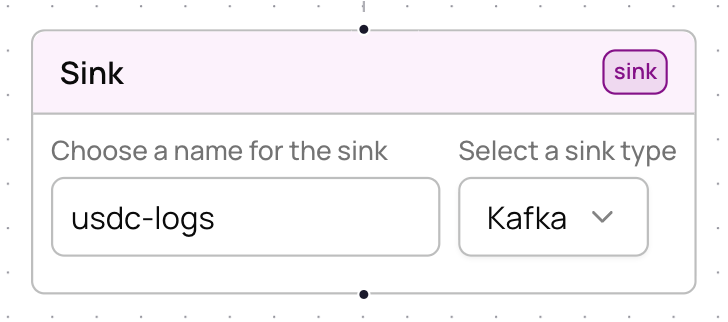
 Add a **Kafka** sink and give it a name (e.g., `usdc-logs`). This determines where your filtered data gets delivered.
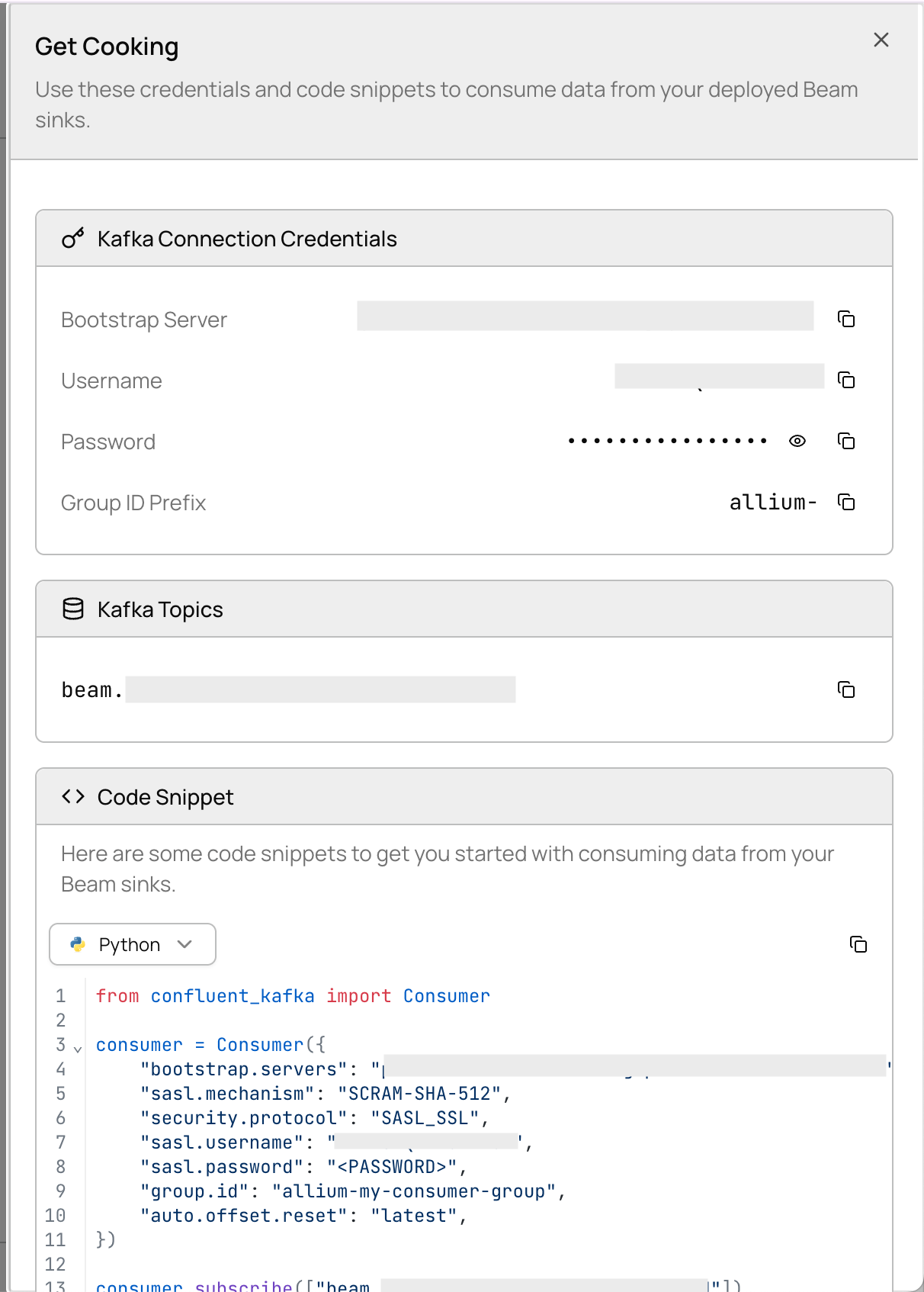
 Click **Deploy**. Beam creates Kafka topics, provisions credentials, and spins up workers — typically in under 30 seconds.
After deployment, click **Get Cooking** to view your Kafka credentials and ready-to-use code snippets.
Click **Deploy**. Beam creates Kafka topics, provisions credentials, and spins up workers — typically in under 30 seconds.
After deployment, click **Get Cooking** to view your Kafka credentials and ready-to-use code snippets.
 ```python Python theme={null}
from confluent_kafka import Consumer
conf = {
"bootstrap.servers": "",
"group.id": "",
"security.protocol": "SASL_SSL",
"sasl.mechanisms": "PLAIN",
"sasl.username": "",
"sasl.password": "",
"auto.offset.reset": "latest",
}
consumer = Consumer(conf)
consumer.subscribe(["beam..usdc-logs"])
while True:
msg = consumer.poll(1.0)
if msg is None:
continue
print(msg.value().decode("utf-8"))
```
```typescript TypeScript theme={null}
import { Kafka } from "kafkajs";
const kafka = new Kafka({
brokers: [""],
ssl: true,
sasl: {
mechanism: "plain",
username: "",
password: "",
},
});
const consumer = kafka.consumer({ groupId: "" });
await consumer.connect();
await consumer.subscribe({ topic: "beam..usdc-logs" });
await consumer.run({
eachMessage: async ({ message }) => {
console.log(message.value?.toString());
},
});
```
Replace the placeholder values with the credentials shown in the **Get Cooking** panel.
## Verify your deployment
After deploying, check worker health in the Beam UI. You should see:
* **Total workers** — number of worker pods running
* **Healthy workers** — workers processing data normally
* **Unhealthy / crashing / OOM** — should all be 0
Use the **Metrics** panel to confirm messages are flowing (1h, 1d, or 1w time range).
## Updating a pipeline
To change your pipeline config, edit the source, transforms, or sinks in the UI and click **Deploy** again. Deployment is **idempotent with zero downtime** — changes apply in place.
Do **not** teardown before redeploying. That causes unnecessary downtime. Just redeploy directly.
## Next steps
Full reference for sources, transforms, and sinks
Copy-paste pipeline configs for common use cases
```python Python theme={null}
from confluent_kafka import Consumer
conf = {
"bootstrap.servers": "",
"group.id": "",
"security.protocol": "SASL_SSL",
"sasl.mechanisms": "PLAIN",
"sasl.username": "",
"sasl.password": "",
"auto.offset.reset": "latest",
}
consumer = Consumer(conf)
consumer.subscribe(["beam..usdc-logs"])
while True:
msg = consumer.poll(1.0)
if msg is None:
continue
print(msg.value().decode("utf-8"))
```
```typescript TypeScript theme={null}
import { Kafka } from "kafkajs";
const kafka = new Kafka({
brokers: [""],
ssl: true,
sasl: {
mechanism: "plain",
username: "",
password: "",
},
});
const consumer = kafka.consumer({ groupId: "" });
await consumer.connect();
await consumer.subscribe({ topic: "beam..usdc-logs" });
await consumer.run({
eachMessage: async ({ message }) => {
console.log(message.value?.toString());
},
});
```
Replace the placeholder values with the credentials shown in the **Get Cooking** panel.
## Verify your deployment
After deploying, check worker health in the Beam UI. You should see:
* **Total workers** — number of worker pods running
* **Healthy workers** — workers processing data normally
* **Unhealthy / crashing / OOM** — should all be 0
Use the **Metrics** panel to confirm messages are flowing (1h, 1d, or 1w time range).
## Updating a pipeline
To change your pipeline config, edit the source, transforms, or sinks in the UI and click **Deploy** again. Deployment is **idempotent with zero downtime** — changes apply in place.
Do **not** teardown before redeploying. That causes unnecessary downtime. Just redeploy directly.
## Next steps
Full reference for sources, transforms, and sinks
Copy-paste pipeline configs for common use cases