

Charting DEX volume, building a dashboard, and looking up a wallet in one session
- “Compare weekly DEX volume on Solana, Base and Arbitrum over the last 3 months and chart it.” The Assistant charts it in the chat.
- “Build a dashboard from this with a table of the top 10 DEXs by volume.” The Assistant builds the dashboard.
- “Which wallet traded the most on Base last week? Who is it?” The Assistant ranks wallets with SQL and labels the top one.
What it can do
Answer questions
Curated metrics, analyst-built Terminal dashboards, SQL, address labels, and web search
Chart and build dashboards
Charts in the conversation, then interactive dashboards with filters
Share and export
Public links, forkable sessions, posts for X and LinkedIn, PDF reports
Custom skills
Save a prompt as a
/command you can run againFiles and screenshots
Attach CSV, Excel, PDF, Word, or images, or capture the current tab
Organization memory
Addresses, preferences, and definitions shared across your org
Pipelines and apps
Deploy Beam pipelines and live web apps from the chat
Get started
1
Open Ask Allium
Click Ask Allium at the top of the sidebar in the Allium App. The Assistant also opens as a side pane on any page, and the conversation carries over when you switch.
2
Ask a question
Type your question, or start from one of the example cards:
- “Chart PYUSD supply growth by chain, last 12 months”
- “Does stablecoin inflow to exchanges lead BTC price? Give me the query”
- “Build a dashboard of USDC supply, holders, and transfer volume”
- “Build a wallet app tracking holders of more than 10K ETH”
3
Iterate
Follow up in the same session: “break that down by DEX”, “make it weekly”, “add it to my dashboard”. The Assistant keeps the full context.
The composer
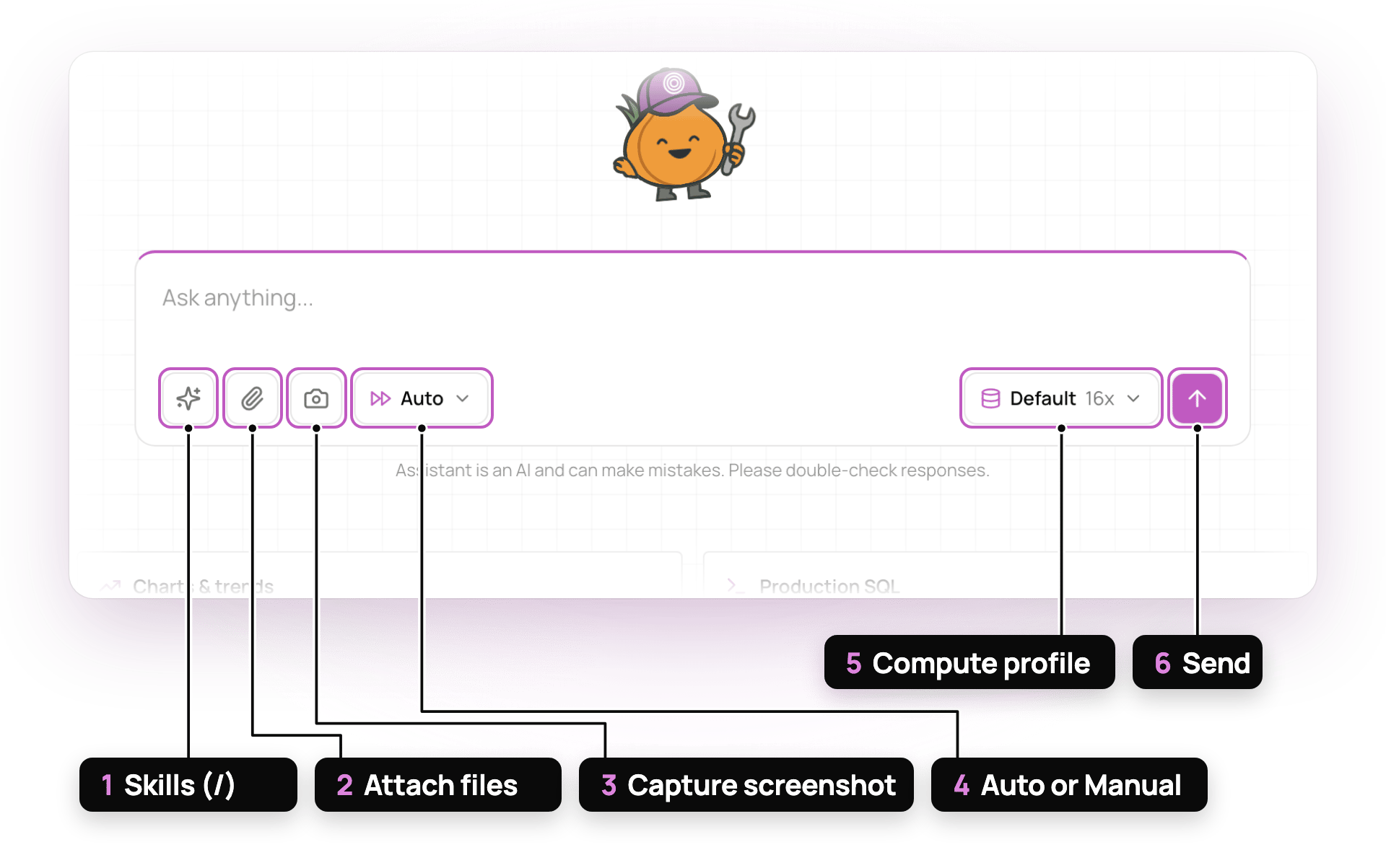
The composer
- Skills (/)
- Attach files
- Capture screenshot
- Auto or Manual
- Compute profile
- Send
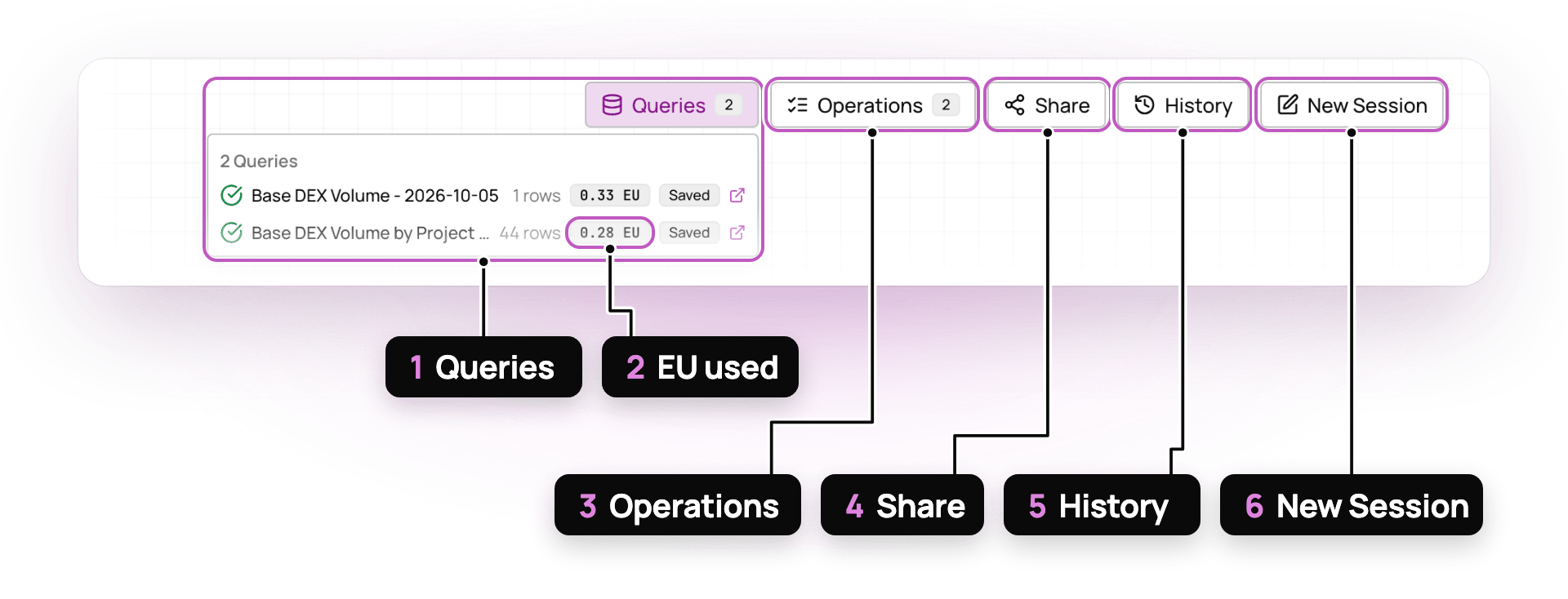
The session header
- Queries
- EU used
- Operations
- Share
- History
- New Session
See Examples for a real session, step by step, and prompts by team.
Tips
Ask for the end result
“Build a dashboard of X with a chain filter” works better than asking for each step.
Be specific on scope
Name the chains, tokens, time window, and metric definition when they matter.
Teach it once
When you repeat a prompt, save it as a skill. Store facts like addresses in memory.
Check the SQL
The Queries menu lists every query the Assistant ran. Open saved ones in Explorer to review the SQL.
Prefer your own agent?
Allium MCP gives Claude, ChatGPT, Cursor, and other agents the same tools: schema and docs search, SQL, dashboards, Terminal, and realtime data.Allium MCP
Connect your client in one command
What's new
Recent Assistant and MCP releases
Need help with a query or a deeper analysis? Contact [email protected]. We can set up a shared Slack or Telegram channel.