

crosschain.dex.trades and stablecoins.core.supply_daily.
1
Create a query
Open Library > Queries, choose New, and name the query.
2
Write your SQL
The schema browser lists every schema and table, with each table’s docs. This query reads the daily circulating supply of five stablecoins:
3
Run it
Choose Run, or press 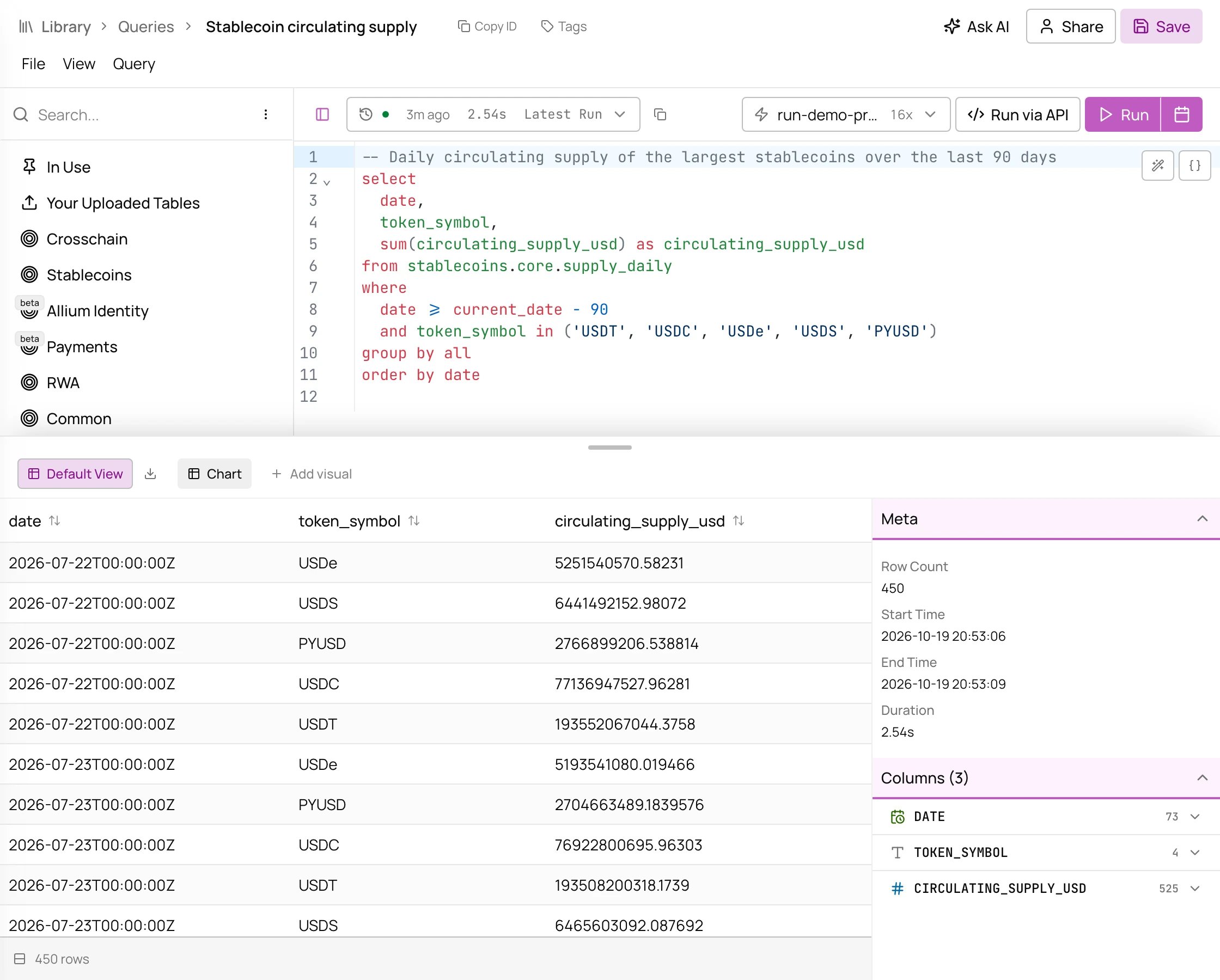
Cmd + Enter. Run saves the query first, then returns the results as a table.- Edits are saved only by Save or a run, so save before leaving a query you haven’t run.
- A query runs on the compute profile you pick for it. See Compute profiles.
- File > Export CSV downloads the results, where your plan includes exports.
Next steps
Visualize results
Chart the results and share them.
Parameterized queries
Rerun the same SQL with different values.
Query a previous result
Build on a finished run without recomputing it.
Explorer API
Run saved queries through the API.