

Filter values are managed separately from the pipeline config. After you create a pipeline, add values to its set filters in the UI or with the filter values API. The examples below show only the pipeline config.
Filter logs by contract address
Monitor USDC transfer logs on Polygon by filtering on the USDC contract address.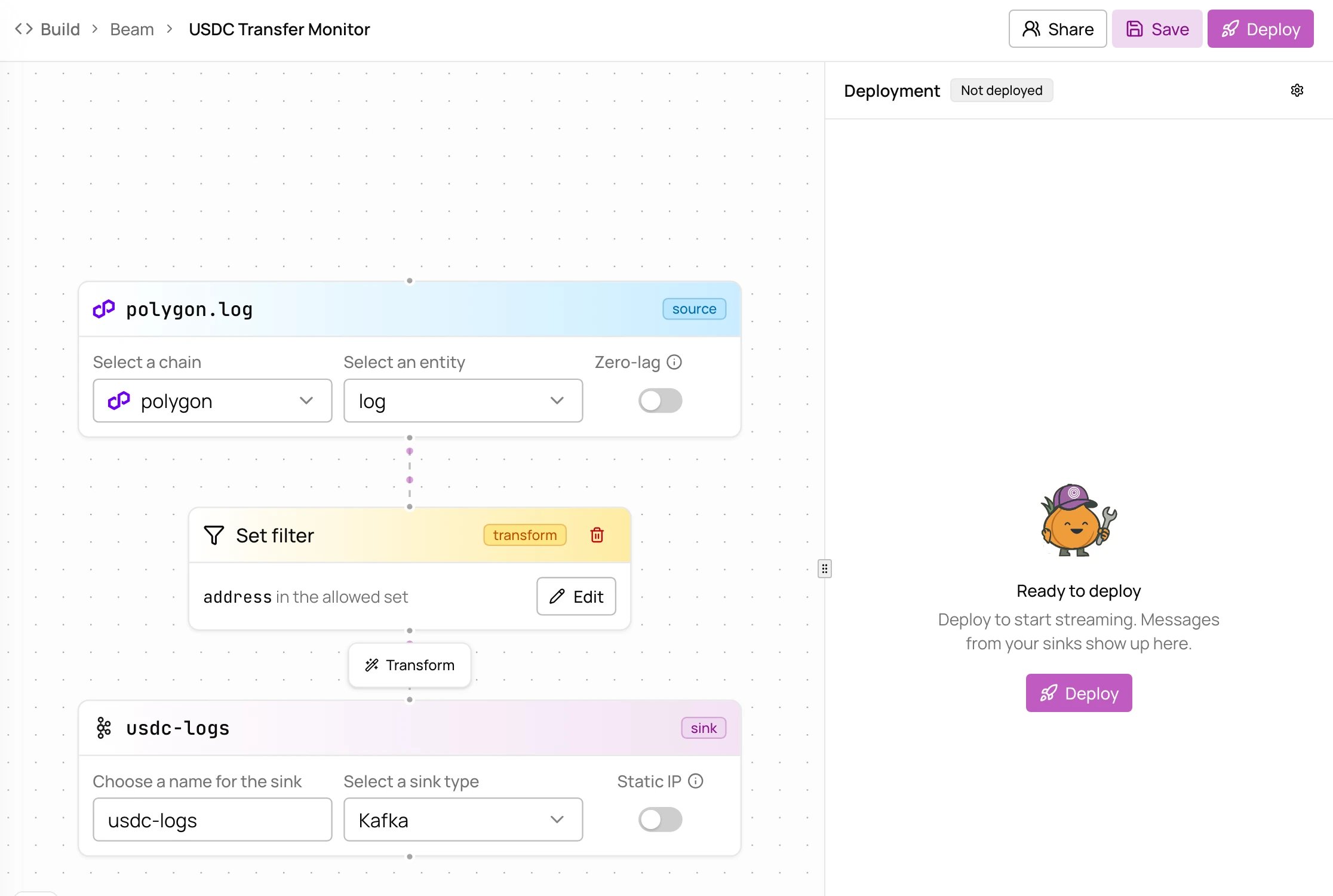
root = this.address matches on the address field, the contract that emitted the log. After you create the pipeline, add the USDC contract address (0x3c499c542cef5e3811e1192ce70d8cc03d5c3359) to the filter in the UI or with the filter values API.
Filter and JavaScript transform
Keep only DEX swap events by event signature, then enrich each record with JavaScript.topic0, the event signature hash. After you create the pipeline, add the Uniswap V2 swap signature (0xd78ad95fa46c994b6551d0da85fc275fe613ce37657fb8d5e3d130840159d822) to the filter. Transforms run in order, so records pass through the filter before the JavaScript transform.
ERC-20 token transfers on Base
Track USDC transfers on Base with theerc20_token_transfer entity instead of raw logs.
root = this.token_address matches on the token_address field, the token contract. After you create the pipeline, add the USDC contract address (0x833589fcd6edb6e08f4c7c32d4f71b54bda02913) to the filter. The erc20_token_transfer entity is already decoded (sender, recipient, amount), so you don’t need to parse raw logs.
Multiple contract addresses
Monitor USDC and USDT on Polygon in one pipeline by adding both addresses to the filter.0x3c499c542cef5e3811e1192ce70d8cc03d5c3359 (USDC) and 0xc2132d05d31c914a87c6611c10748aeb04b58e8f (USDT). A record passes if its field matches any value in the set. Sets hold 10M+ values, enough for very large wallet lists.
External Kafka sink
Deliver records to your own Kafka cluster, authenticating with organization secrets.external_kafka sink, create the username and password secrets in Settings → Secrets. See the configuration reference for all fields.