

Usage
Settings > Usage breaks down your organization’s usage over any date range, by day or as totals, and exports it as CSV. Dates follow US Eastern time to match billing. Figures can differ slightly from your invoice through rounding, and the invoice is the final figure.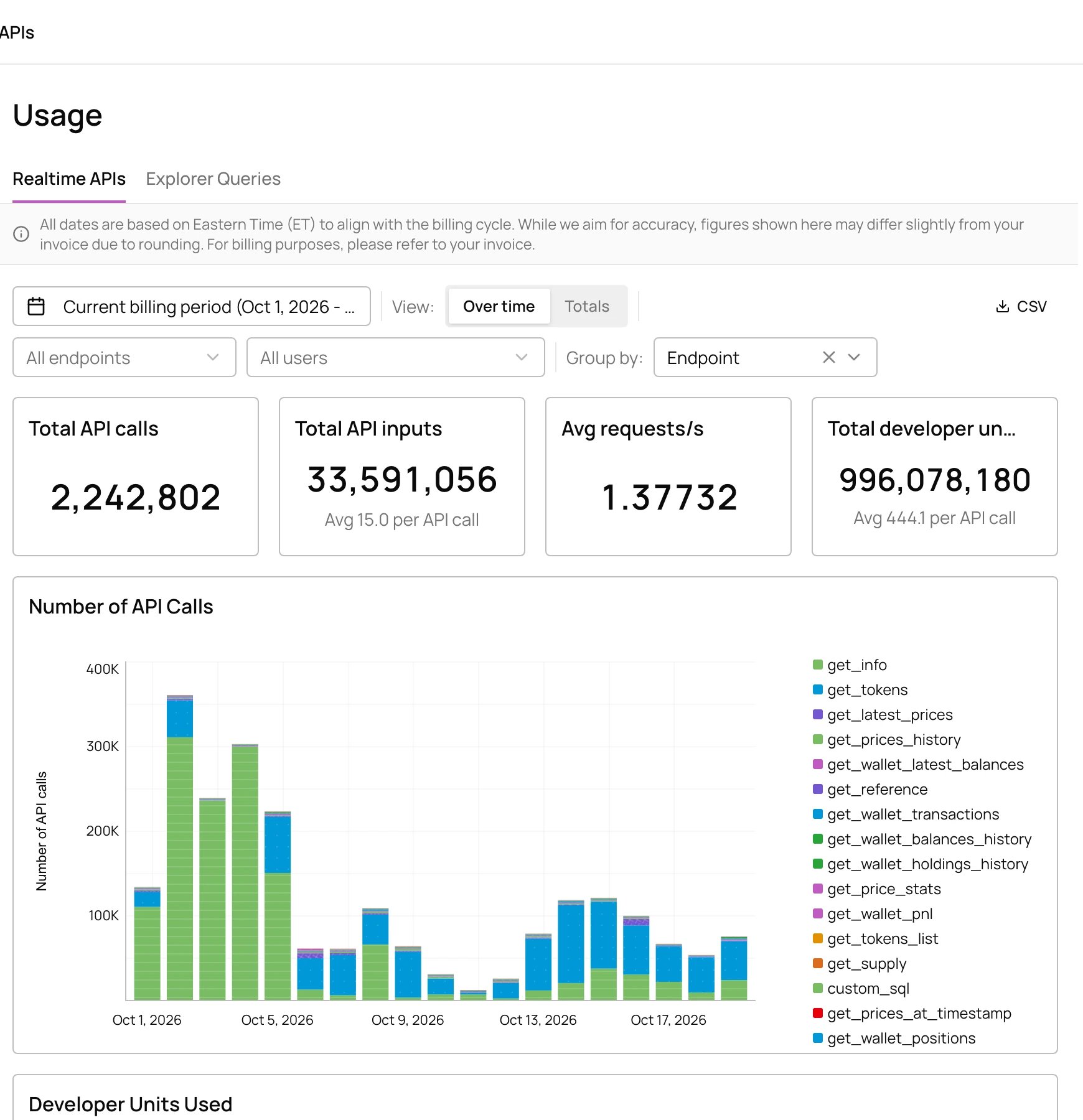
Realtime API calls by endpoint
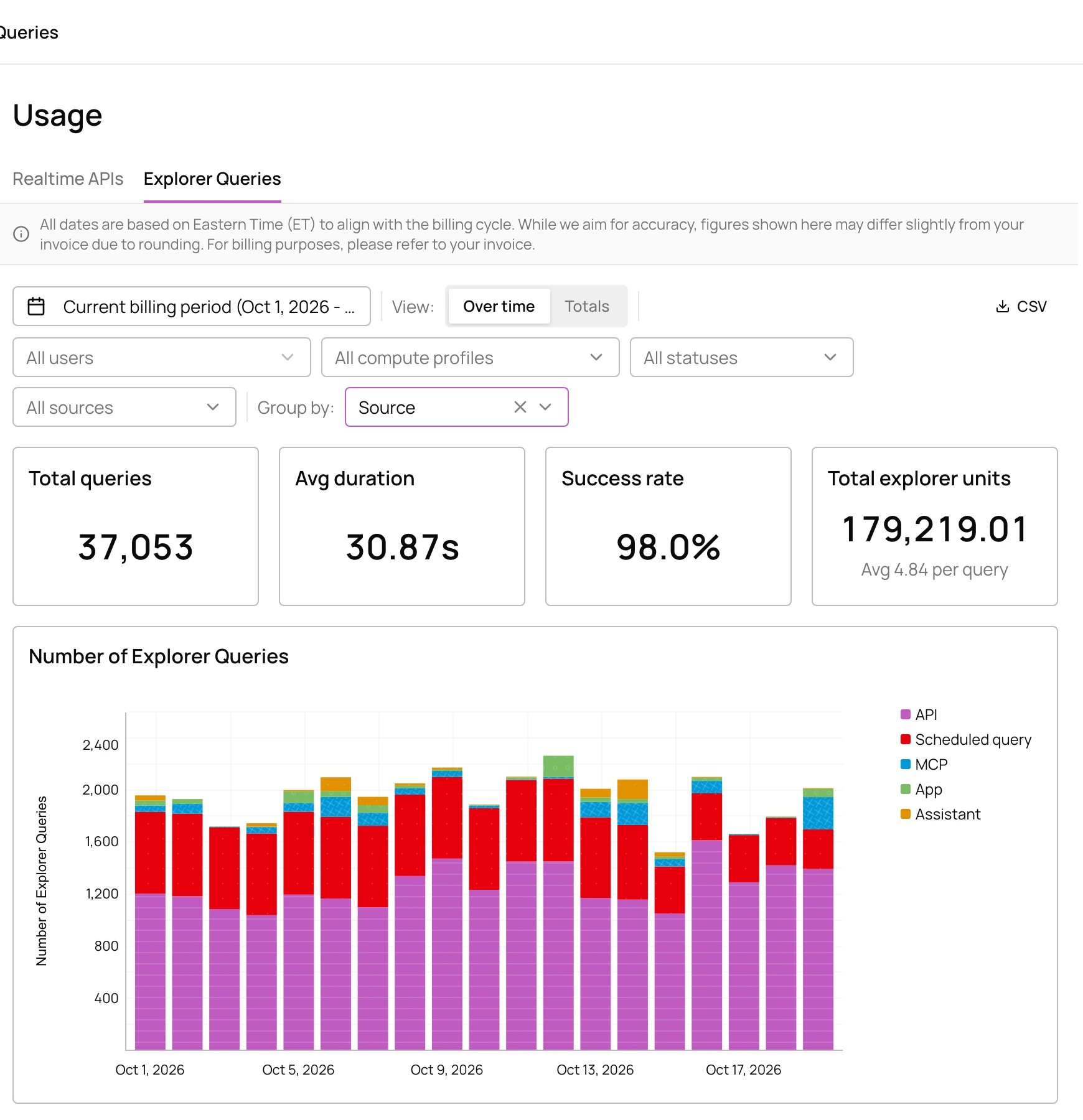
Explorer queries by source
Billing
Settings > Billing has your plan, the latest invoice and outstanding balance, usage against your plan this billing period with an estimated invoice, and your invoice history. Pay invoices and manage payment methods in the billing portal.Overage settings
Available on the Allium Subscription plan.
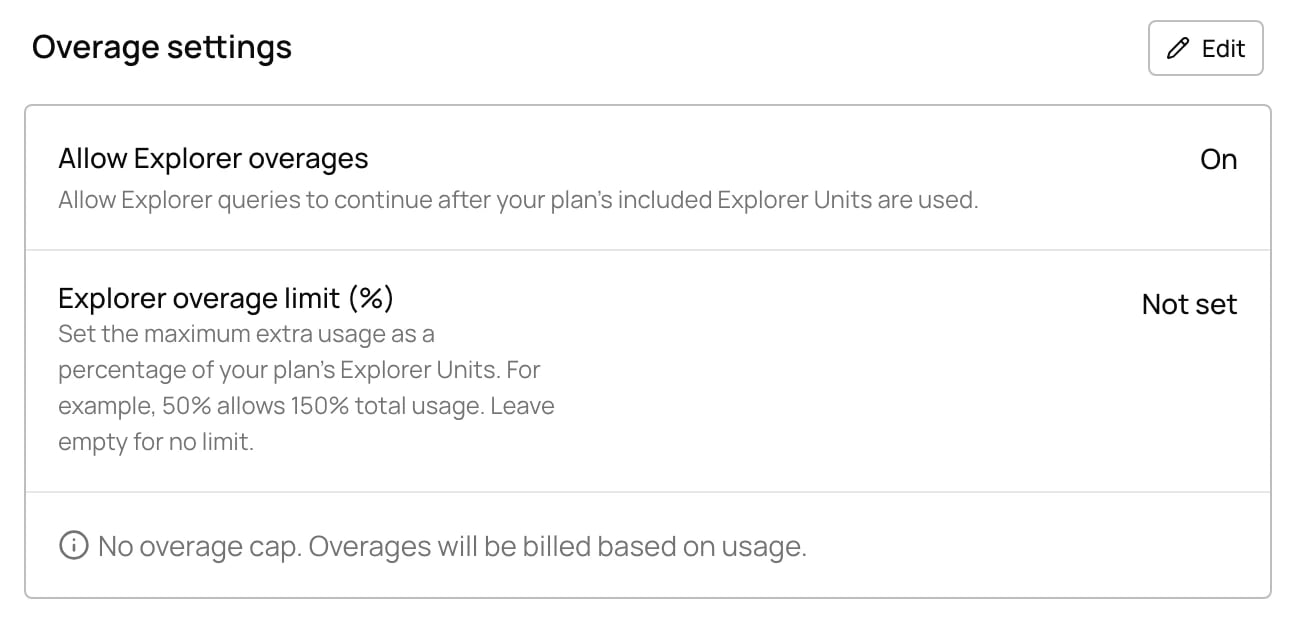
Allium support sets any fixed overage limit in Explorer Units. To cap spend per member or per day instead, use usage limits.