

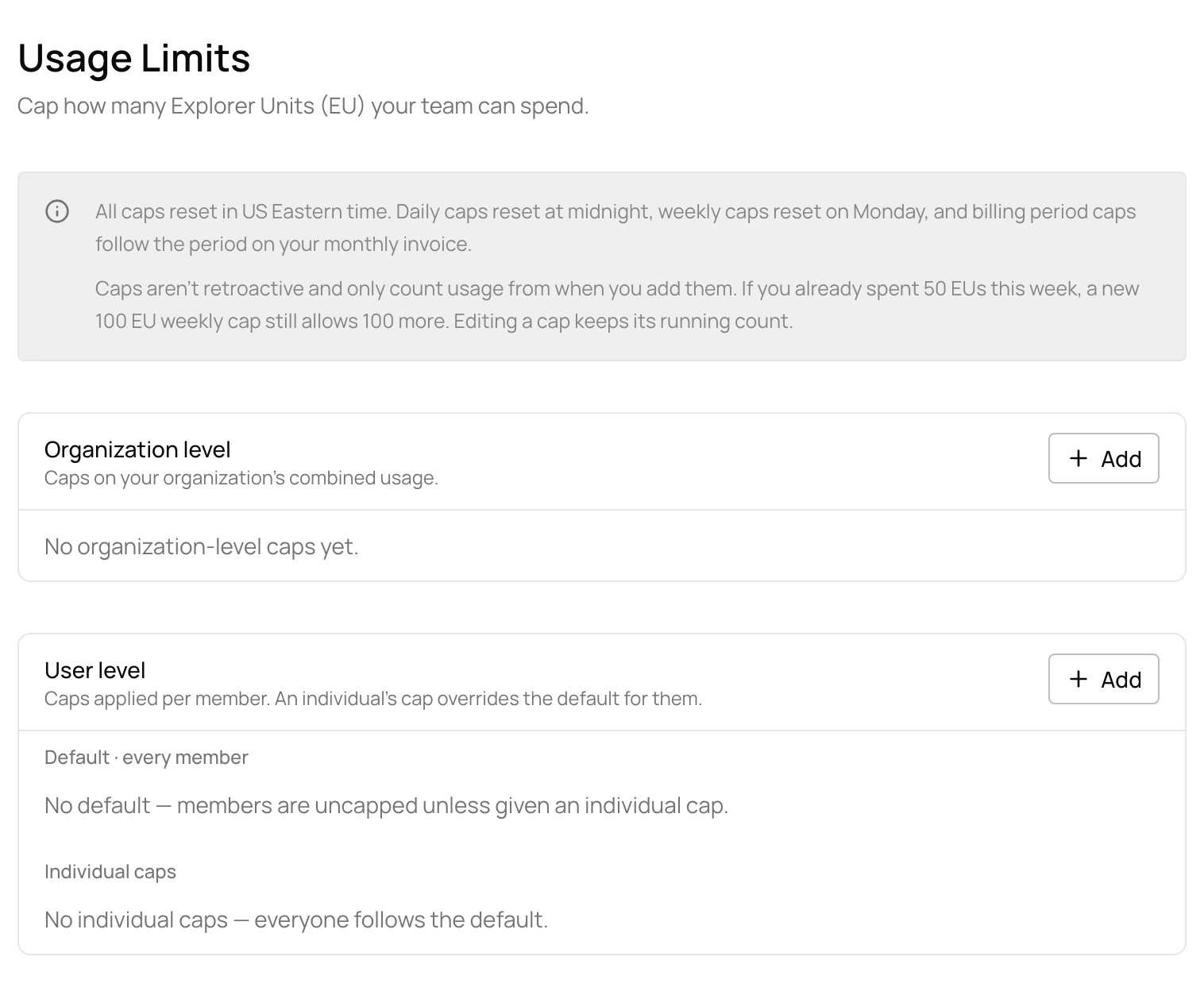
Add a cap
1
Open Usage Limits
Open Settings > Usage Limits and choose Add for the organization or for members.
2
Set the limit
Enter the limit in EU and a period: daily, weekly or billing period. For a member cap, pick every member (the default) or one member. Then choose Add cap.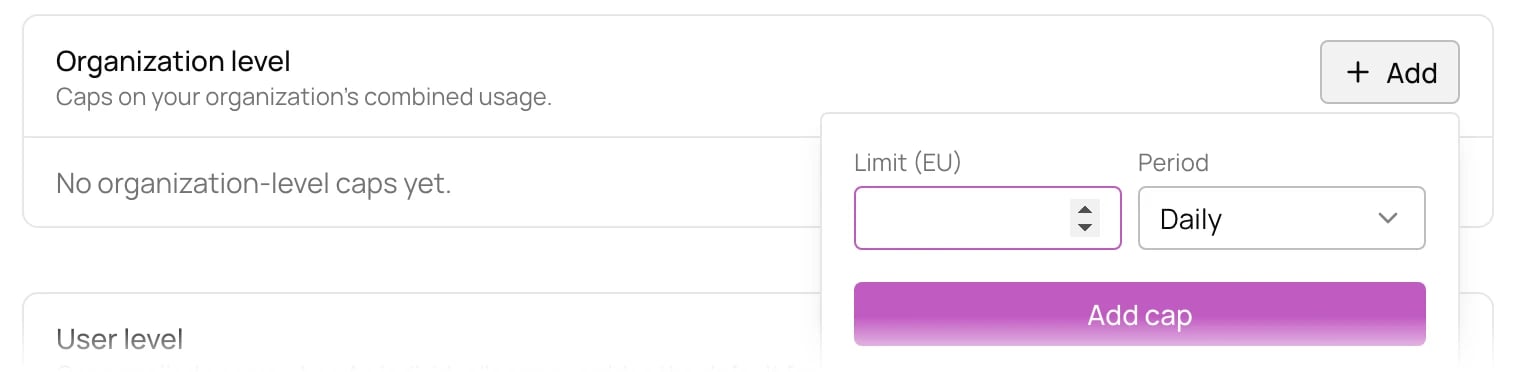
How caps count
- Caps reset in US Eastern time: daily caps at midnight, weekly caps on Monday, and billing period caps with your monthly invoice period.
- Caps only count usage from when you add them. If you already spent 50 EU this week, a new 100 EU weekly cap still allows 100 more.
- Editing a cap keeps its running count.