

Configure IP Whitelisting
1
Navigate to Team Settings
Open Settings → Team and scroll down to the Restrict Sessions section.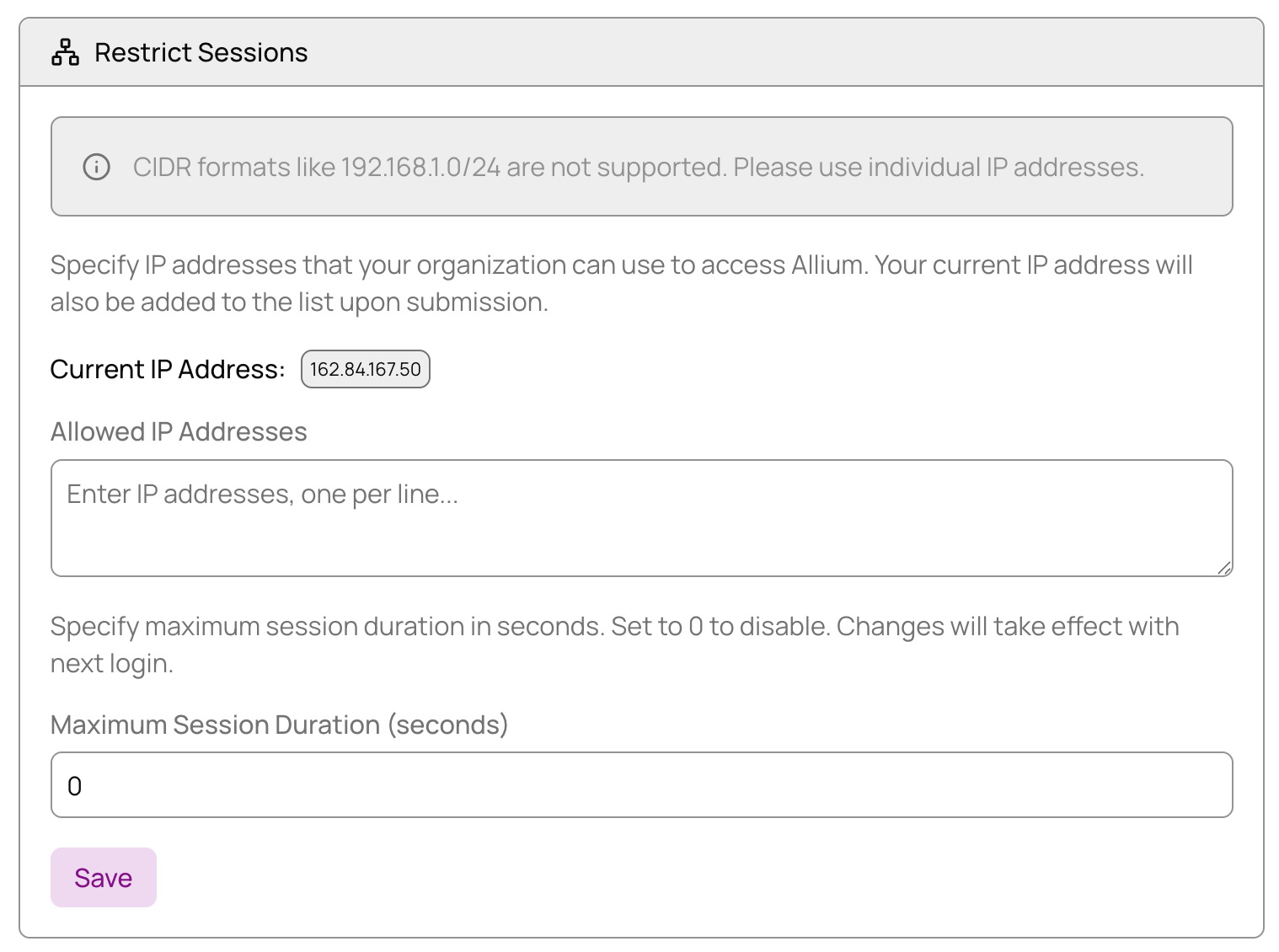
2
Add Allowed IP Addresses
Under Allowed IP Addresses, enter the IP addresses that should have access to your organization.
3
Save Configuration
Click Save to apply your IP whitelist configuration. Only users connecting from the specified IP addresses will be able to access your organization.